
License and Loyalty Order
Oct 28, 2025
PrimaCaisse - PrimaGolf

🧾 Ordering FFG licenses from Prima
It is now possible to generate your license order directly from your Cash or Contribution Management screens.
⚙️ Product Configuration
In the Back Office (PrimaDesk)
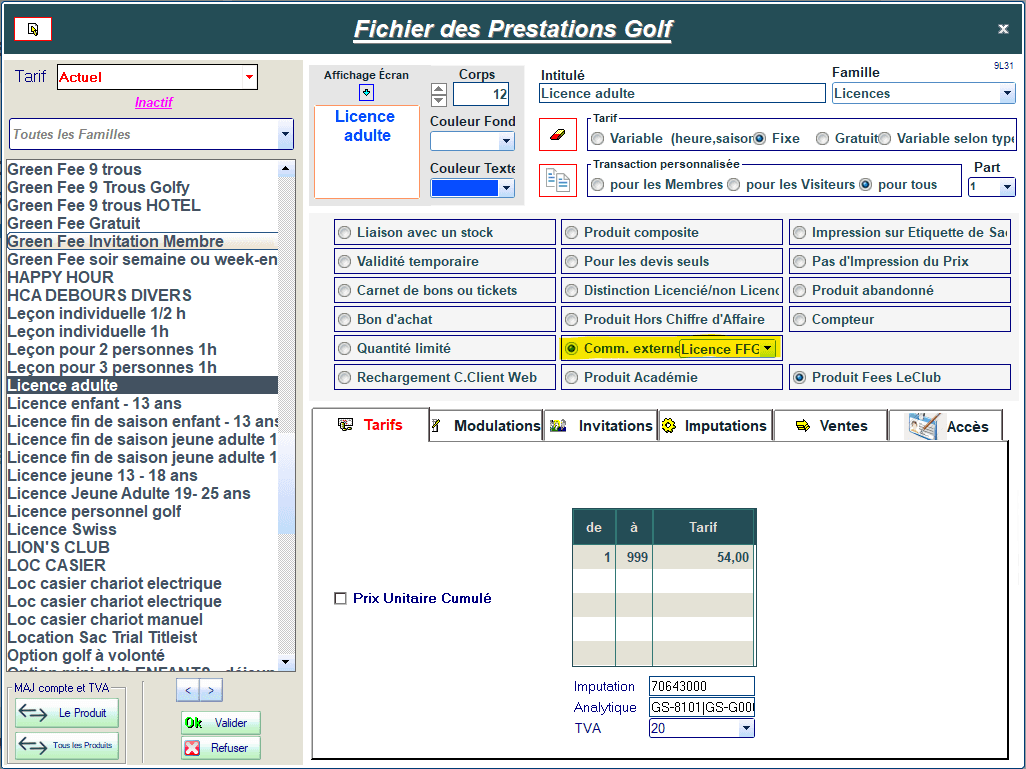
Go to Products and Services → Access the product file.
Search for the product(s) corresponding to the license.
In the central options, enable External Order and then select FFG License.
In Contribution & Subscription (PrimaGolf)
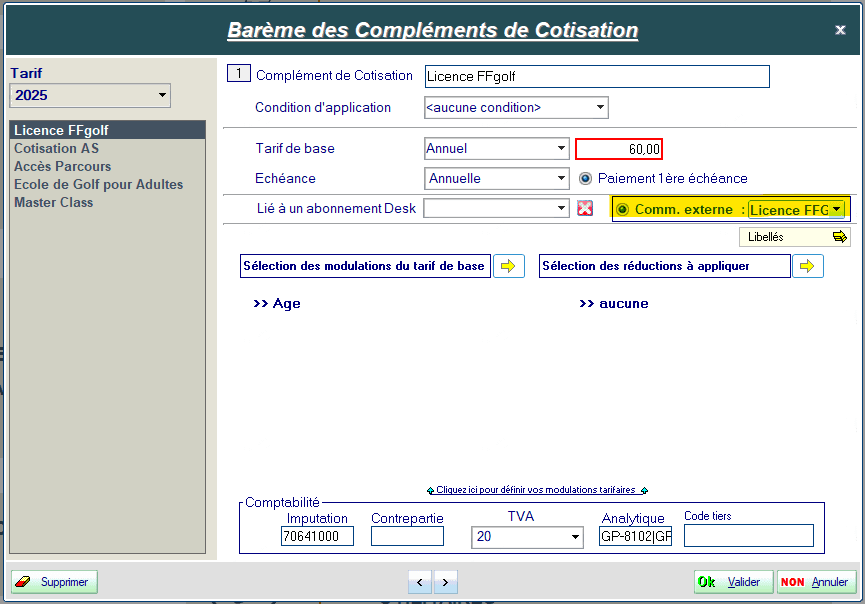
Go to Call Settings → Contribution Period and Scale → Contribution Supplement Scale.
Search for the license product(s).
In the central options, enable External Order and then select FFG License.
💳 Single Sale
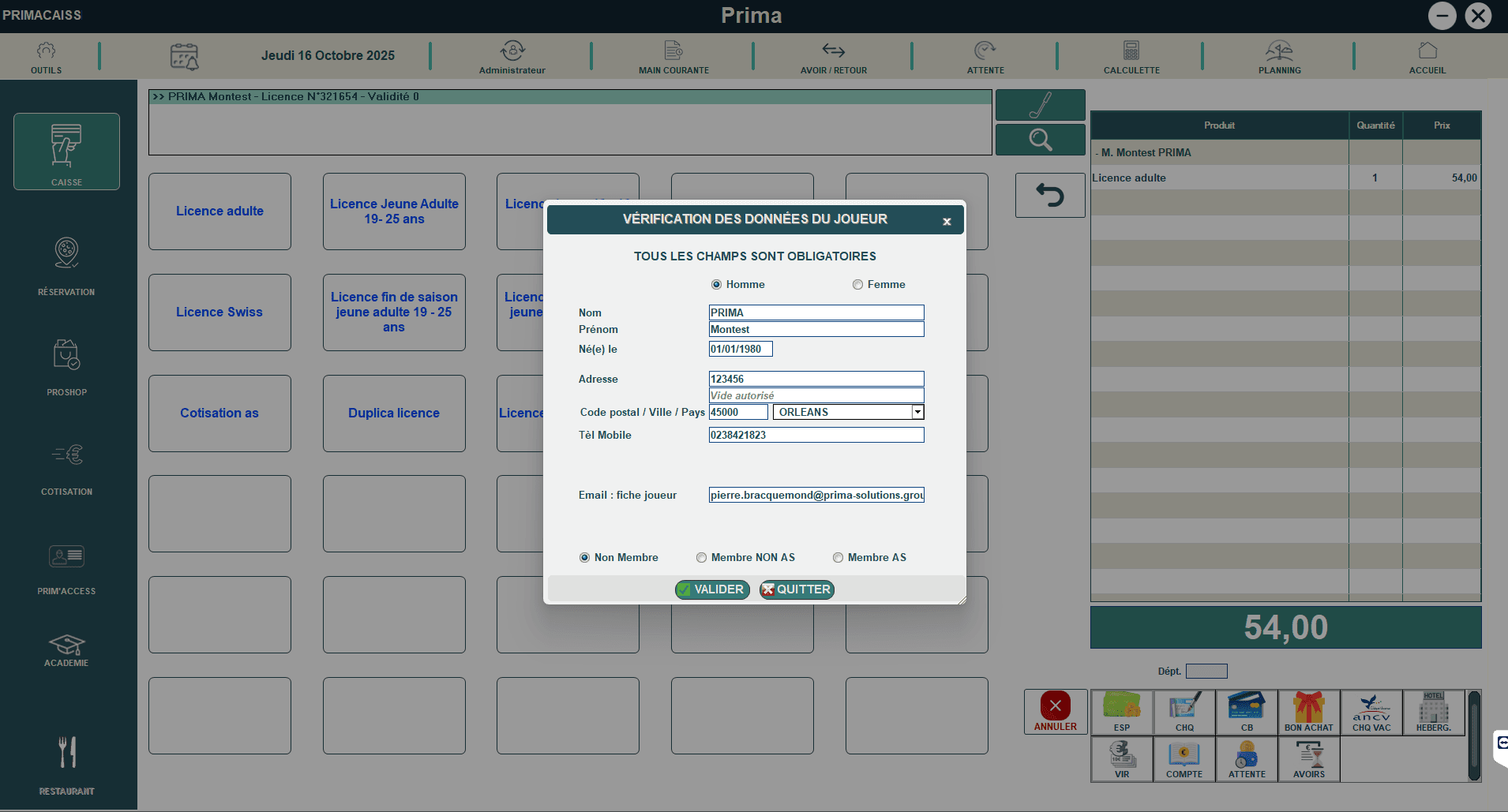
For establishments selling licenses directly at the register, the order is now integrated into the checkout process
Procedure:
From the Cash Register, select the license product.
Select the customer's name (in case of multiple sales, repeat the process for each customer).
Select the payment method and proceed with the checkout.
After payment validation, the software automatically opens the FFG order interface.
🗓️ Note: during end-of-year periods, you will be asked to confirm the type of license.
Check the customer's information and then confirm: the order is then automatically placed.
📦 Bulk Sale
For establishments handling contribution calls that include the license, the process differs slightly:
it is the operator who chooses the right moment to generate the license order.
We recommend waiting for the first payment before initiating the order.
Procedure:
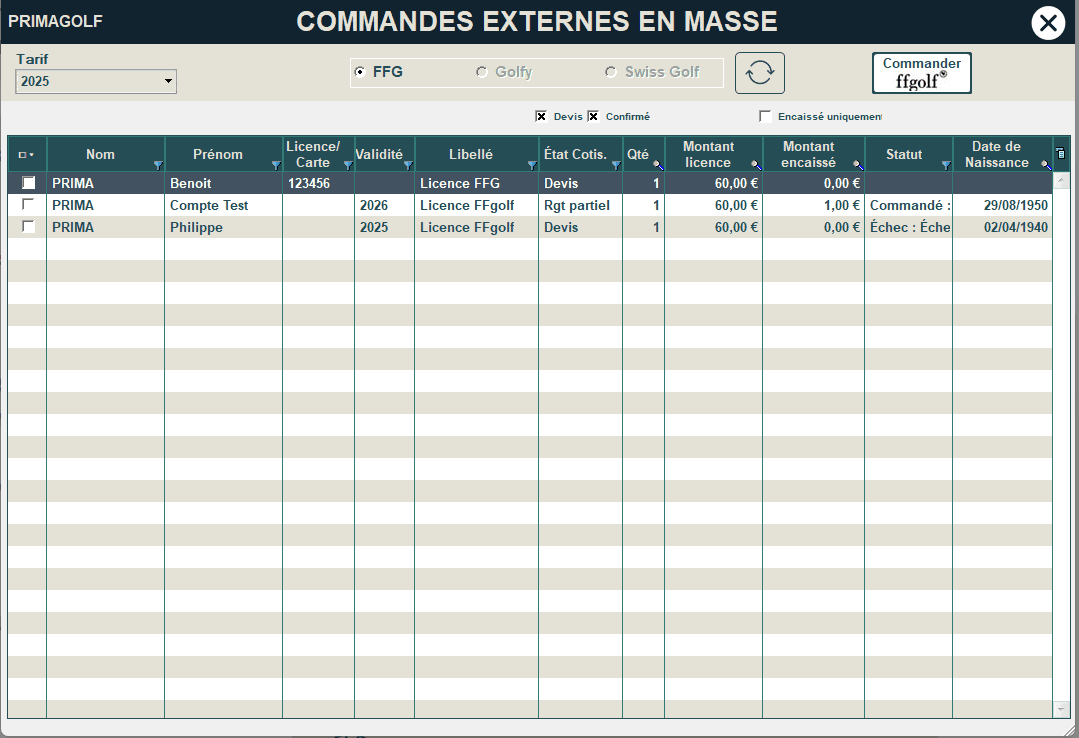
In Cash & Subscription (PrimaGolf) → Other Functions → Bulk External Order
Select the desired order type.
Check the relevant fiscal year.
Search and check all collected licenses for which the order has not yet been placed.
Click on Order FFGOLF to generate the order for the selected licenses.
In all cases, it is also possible to force the renewal of a license from the client file by clicking on the "i" in the FFG tab.
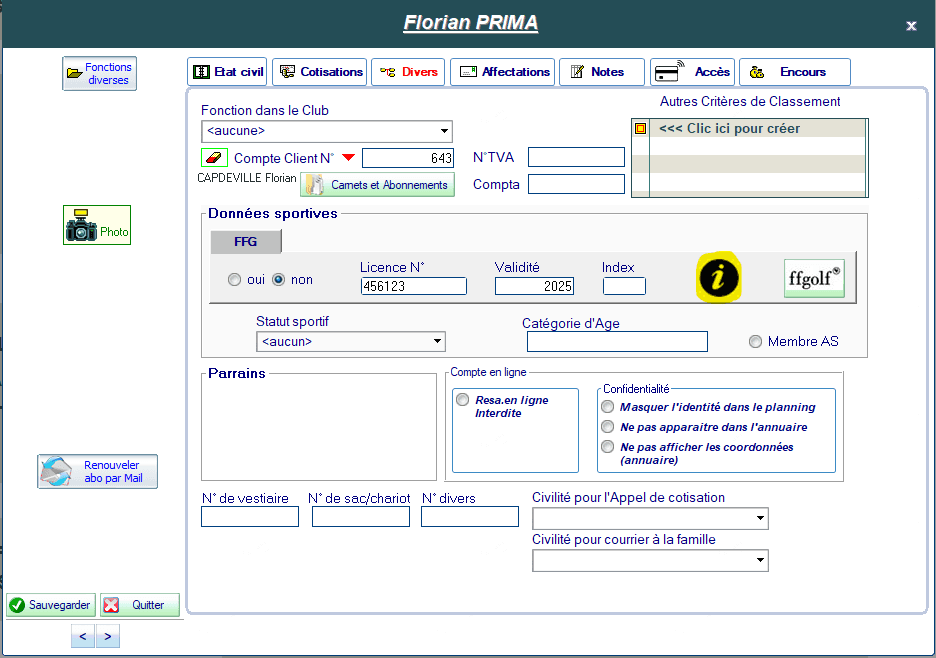
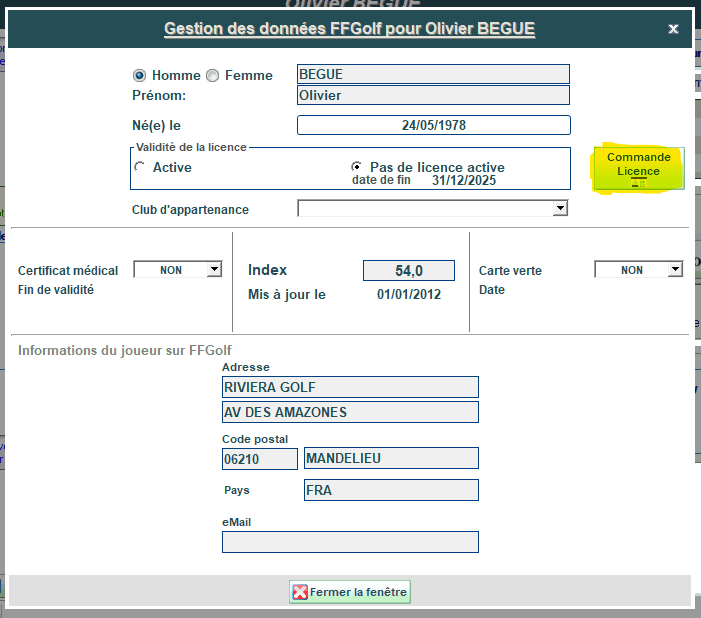
This feature is locked by Administrator code.
📊 Order Tracking
A order monitoring tool has been integrated to quickly detect any order failures and facilitate their tracking.
Procedure:
Open the Back Office (PrimaDesk).
Access Product Management → External Order Tracking.
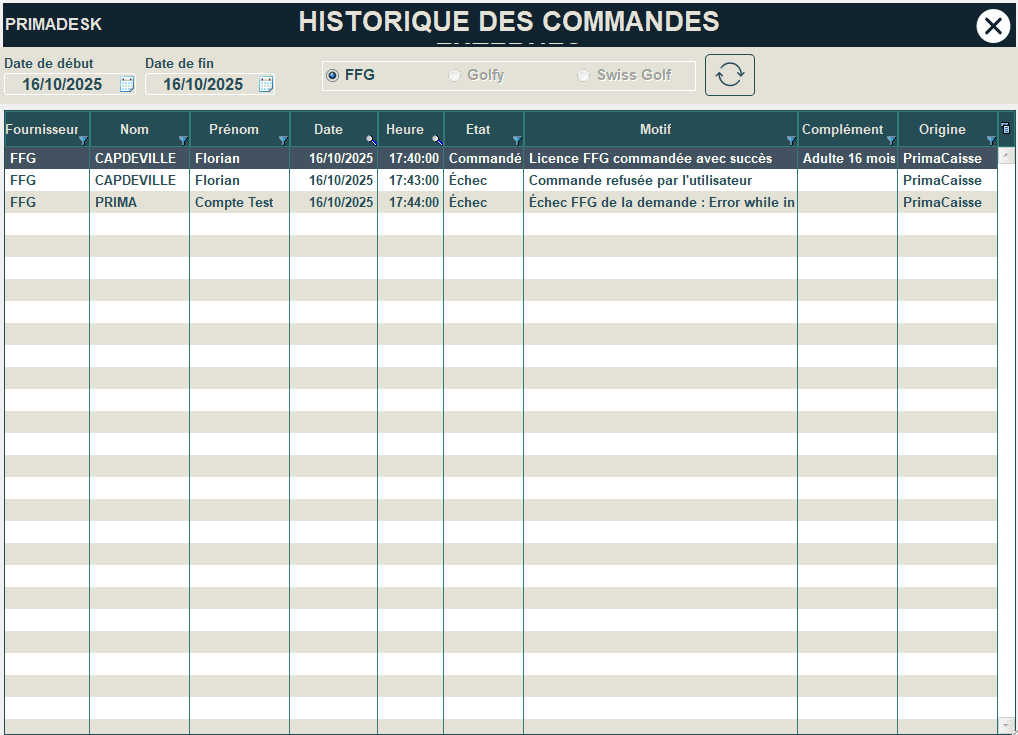
You will thus be able to visualize all the orders placed, identify any anomalies, and resume operations if necessary.
🌍 Golfy and Swiss Golf
These features have also been adapted for the order of Golfy cards and Swiss Golf licenses.
⚠️ Important: in both cases, make sure that the license and/or Golfy numbers are correctly filled in the client file before placing the order.